
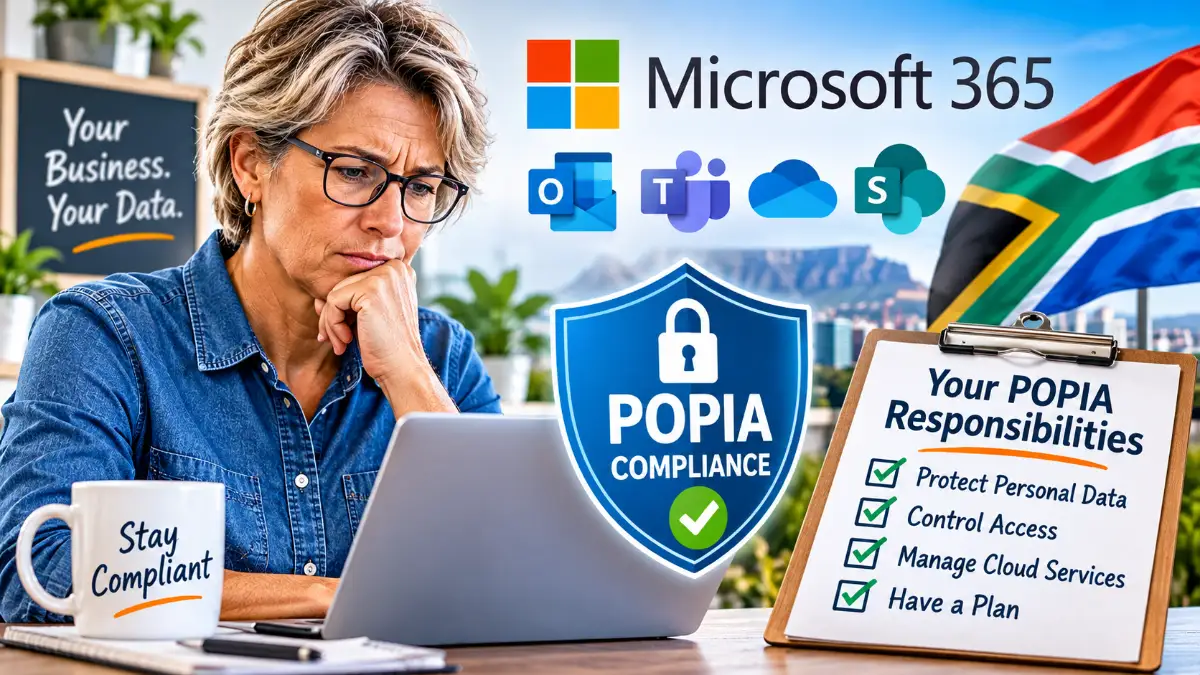
Are You POPIA Compliant When Using Microsoft 365? What Every South African Small Business Should Know
Using Microsoft 365 for your business email, documents and customer information? Buying a subscription does not automatically make your business POPIA compliant. Here is what you need to understand.
Microsoft 365 has become an everyday business tool.
Small businesses use it to send emails, store documents, manage customer information, share files, hold online meetings and collaborate with employees.
For many business owners, moving everything to the cloud simply made sense. There is no need to maintain an email server, files can be accessed from different devices, and Microsoft takes care of much of the underlying infrastructure.
But there is an important question that many business owners have probably never considered:
What happens to your POPIA responsibilities when you move your business information into Microsoft 365?
South Africa’s Protection of Personal Information Act (POPIA) applies to the processing of personal information, regardless of whether that information is stored on your own computer, on a local server or in an international cloud service.
And here is something every business owner should understand:
Paying Microsoft for a business subscription does not automatically make your business POPIA compliant.
Microsoft provides security features, privacy commitments and contractual data protection arrangements. However, your business remains responsible for ensuring that personal information is processed lawfully and protected appropriately.
Let’s look at what this means in practical terms.
1. Who Is Responsible for Your Business Information?
An important concept in POPIA is the distinction between a responsible party and an operator.
In simple terms:
Your business – the responsible party
If your business collects customer details, employee information, supplier contacts or other personal information, it generally determines why and how that information is used.
Your business is therefore usually the responsible party under POPIA.
Microsoft – generally an operator
When Microsoft processes personal information on your behalf to provide Microsoft 365 services, it generally acts as an operator.
Microsoft provides the infrastructure, storage, software and services, but your business remains responsible for ensuring that the processing meets its legal obligations.
There can be situations where Microsoft processes certain information for its own purposes and acts in a different capacity. The distinction depends on the particular processing activity.
This relationship is important because POPIA places specific obligations on both parties.
2. Does Your Microsoft 365 Agreement Cover POPIA Requirements?
Microsoft provides a contractual document called the Data Protection Addendum (DPA).
This forms part of Microsoft’s contractual data protection framework for its business services.
It sets out matters such as:
- How Microsoft processes customer data.
- Confidentiality obligations.
- Security commitments.
- Data breach notification arrangements.
- The use of subprocessors.
- International data transfers.
POPIA Section 21 requires a responsible party to ensure, through a written contract with its operator, that appropriate security measures are maintained.
Microsoft’s DPA is therefore an important part of the arrangement.
However, business owners should not simply assume that purchasing Microsoft 365 means every POPIA requirement has automatically been addressed.
You should understand which contractual terms apply to your subscription, what services they cover and whether your own business procedures meet the remaining requirements.
Microsoft’s contractual documents can be found here:
https://www.microsoft.com/licensing/docs
3. Where Is Your Business Information Actually Stored?
This is an area that deserves more attention.
Microsoft operates data centres in several countries, including South Africa.
However, that does not mean every Microsoft 365 service, every category of information or every processing activity necessarily takes place within South African borders.
Depending on the service, subscription, tenant configuration and processing activity, information may be stored or processed in different locations.
This raises an important POPIA consideration.
Section 72 regulates the transfer of personal information outside South Africa.
Such transfers are permitted under specified conditions. These include situations where the recipient is subject to adequate protection through applicable law, binding corporate rules or binding agreements, as well as certain other circumstances provided for in the Act.
Microsoft provides contractual mechanisms for relevant international transfers, including Standard Contractual Clauses where applicable.
The important point is that POPIA does not prohibit the use of international cloud services.
It does, however, require businesses to understand and properly address international transfers of personal information.
If you use Microsoft 365, you should understand where your information is stored, how it is processed and what contractual safeguards apply.
4. What Does Your Business Actually Need to Do?
Using Microsoft 365 does not remove your responsibility to manage personal information properly.
Here are some of the practical areas you should address.
A. Know What Personal Information You Collect
Start by identifying the information your business holds.
For example:
- Customer names, telephone numbers and email addresses.
- Customer enquiries and correspondence.
- Employee records and payroll information.
- Supplier and contractor details.
- Invoices and payment information.
- Identification and other sensitive personal information, where applicable.
You cannot protect information properly if you do not know what you are collecting and where it is stored.
B. Have a Legitimate Reason for Processing Information
POPIA requires personal information to be processed lawfully and for a specific, defined purpose.
For example, if a customer provides their details to receive a quotation, you should use that information for legitimate business purposes.
You should not automatically assume that receiving someone’s email address gives you permission to use it for unrelated marketing activities.
C. Control Who Has Access
One of the advantages of Microsoft 365 is that employees can access business information from different locations.
But this also creates potential risks.
Consider the following:
- Does every employee really need access to every company document?
- Are former employees’ accounts disabled when they leave?
- Are shared folders and files properly restricted?
- Is multi-factor authentication enabled?
- Are administrator accounts properly protected?
- Can employees access company information from personal devices?
Microsoft provides tools to manage many of these risks, but your business must configure and monitor them appropriately.
D. Protect Your Information
POPIA Section 19 requires responsible parties to take appropriate, reasonable technical and organisational measures to protect personal information.
For a small business using Microsoft 365, this could include:
- Strong passwords and multi-factor authentication.
- Appropriate user permissions.
- Regular security updates.
- Protection against phishing and malicious attachments.
- Secure device access.
- Appropriate backup and recovery arrangements.
- Procedures for dealing with suspected security incidents.
Having Microsoft security features available does not mean they are automatically configured correctly for your business.
E. Have a Data Breach Procedure
What happens if an employee’s Microsoft 365 account is compromised?
What if a laptop containing business information is stolen?
What if confidential customer documents are accidentally shared with the wrong person?
POPIA Section 22 deals with security compromises.
Where there are reasonable grounds to believe that personal information has been accessed or acquired by an unauthorised person, the responsible party must notify the Information Regulator and affected data subjects as soon as reasonably possible, subject to the Act.
Your business should therefore have a clear procedure for identifying, investigating and responding to potential data breaches.
5. Have You Appointed and Registered an Information Officer?
This is another requirement that small businesses sometimes overlook.
POPIA requires public and private bodies to have an Information Officer.
For a private company, the head of the organisation is generally the Information Officer by virtue of their position, although the Act allows for appropriate delegation and the appointment of deputy information officers.
The Information Officer has responsibilities that include:
- Encouraging compliance with POPIA.
- Handling requests relating to personal information.
- Working with the Information Regulator when necessary.
- Ensuring that the organisation meets its POPIA obligations.
- Overseeing the organisation’s compliance framework and related procedures.
Information Officers must be registered with the Information Regulator before taking up their duties under POPIA.
This is not something that Microsoft does for you.
You can find registration information on the Information Regulator’s website:
6. What About OneDrive, SharePoint and Microsoft Teams?
It is easy to think of Microsoft 365 as simply an email subscription.
In reality, many businesses use several connected services.
OneDrive
Employees store business documents, customer records and other information in personal cloud storage.
You need to understand how access, sharing, retention and deletion are managed.
SharePoint
Business documents and shared information may be accessible to multiple employees or external parties.
Permissions and sharing settings need to be properly controlled.
Microsoft Teams
Meetings, conversations, shared files and recordings may contain personal or confidential business information.
Businesses should consider who can access this information and how long it needs to be retained.
The more business activities you move into the cloud, the more important it becomes to have a clear understanding of how personal information is managed.
7. A Practical POPIA Checklist for Microsoft 365 Users
If your business uses Microsoft 365, start with these basic checks.
- Have you identified the personal information your business collects and stores?
- Have you appointed and registered an Information Officer?
- Do you have an appropriate privacy policy?
- Do you understand the Microsoft contractual data protection terms applicable to your subscription?
- Have you considered international data transfers under Section 72?
- Are employee and administrator accounts properly protected?
- Is multi-factor authentication enabled?
- Are access permissions reviewed regularly?
- Do you have procedures for handling requests to access or correct personal information?
- Do you have a data retention and deletion policy?
- Do you have a procedure for responding to security breaches?
- Do employees understand their responsibilities when handling personal information?
This is a starting point, not a guarantee of compliance. Your actual obligations depend on the nature of your business and the personal information you process.
8. The Bottom Line: The Cloud Does Not Remove Your Responsibilities
Microsoft 365 is a useful business platform. There is nothing inherently wrong with using it to manage your business email, documents and customer information.
The same applies to Google Workspace, independent email hosting companies and other cloud-based services.
The important thing to understand is that moving information to somebody else’s servers does not transfer all your legal responsibilities to that service provider.
Your business still needs to know what information it collects, why it collects it, where it is processed, who can access it and how it is protected.
Don’t confuse having a Microsoft 365 subscription with having a POPIA compliance programme. They are two very different things.
A little time spent understanding your responsibilities today could prevent considerable problems later.
Disclaimer: This article provides general information for South African small businesses and is not legal advice or a certification of POPIA compliance. Businesses with complex or sensitive information-processing activities should obtain advice from a suitably qualified privacy professional.