
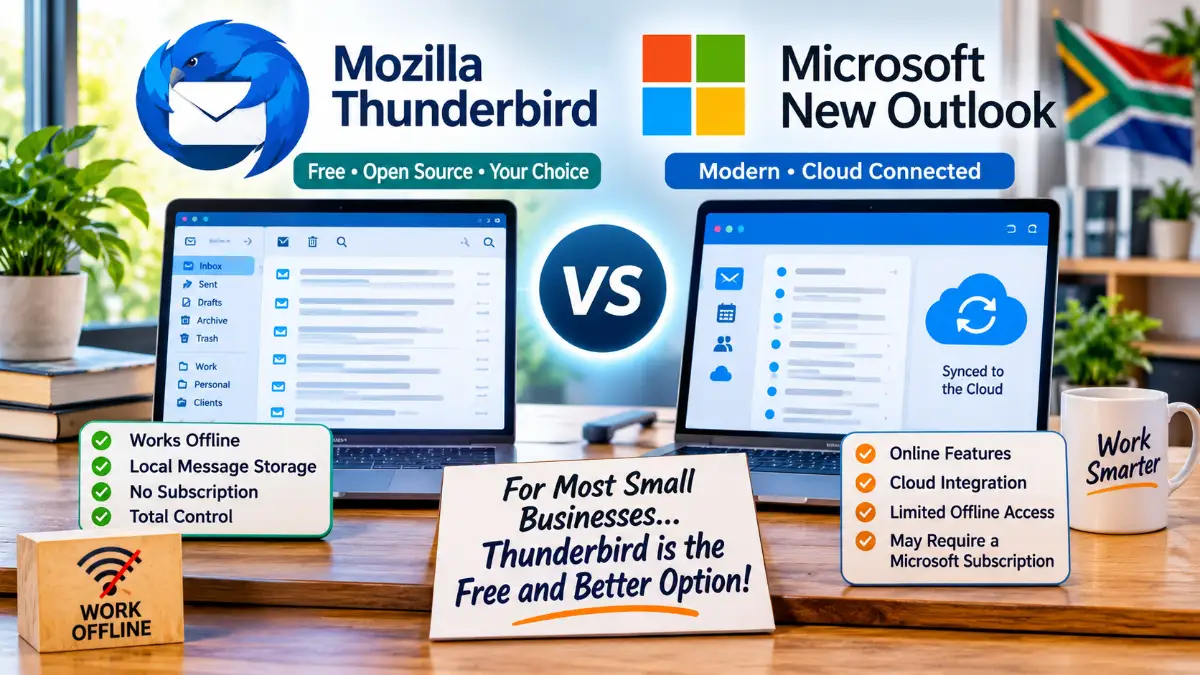
Thunderbird vs Microsoft New Outlook: Why Free, Independent Email Software May Be the Better Choice for Your Business
Looking for a reliable email application for your small business? Before paying for Microsoft 365 or accepting Microsoft’s New Outlook, take a look at Mozilla Thunderbird. It is free, powerful, works with independently hosted email and gives you much greater control over your everyday email.
Email is one of the most important tools in any small business.
Whether you are receiving customer enquiries, sending quotations, processing orders or communicating with suppliers, you need an email application that works reliably.
For many years, Windows users had access to a simple, free email application. It was easy to configure with an existing email hosting provider and did exactly what most small businesses needed.
That changed when Microsoft discontinued its old Windows Mail application and started directing users towards New Outlook.
Unfortunately, New Outlook is not necessarily the best replacement for everyone.
For businesses using independently hosted email accounts, there is another option worth considering: Mozilla Thunderbird.
It is free, open-source, works with POP3 and IMAP email accounts and offers a traditional desktop email experience without requiring a Microsoft 365 subscription.
In fact, for many small businesses, Thunderbird may be the better choice.
Let’s compare the two.
1. First, Understand the Difference
Although both applications allow you to send and receive email, they are built quite differently.
Microsoft New Outlook
New Outlook for Windows is built around Microsoft’s modern Outlook web experience.
It uses Microsoft Edge WebView2 technology within a Windows integration component. In other words, Microsoft has packaged its web-based Outlook experience into a Windows application.
This allows Microsoft to deliver updates and new features through its online services and maintain a consistent experience across different devices.
There is nothing inherently wrong with this approach, but it does mean that the application is closely tied to Microsoft’s online ecosystem.
Mozilla Thunderbird
Thunderbird is a traditional desktop email application.
You install it on your computer, configure your email accounts and connect directly to the mail servers supplied by your hosting provider.
Your email application and email hosting provider remain separate.
You can use Thunderbird with almost any hosting company that supports standard POP3 or IMAP email.
You do not need to move your email to Microsoft, purchase Microsoft 365 or change your existing domain hosting arrangement.
That independence is one of Thunderbird’s biggest advantages.
2. Thunderbird Is Completely Free
Let’s start with something that matters to small businesses: cost.
Thunderbird is free, open-source software.
There are no compulsory monthly subscriptions, no Microsoft 365 licence requirements and no per-user email application fees.
You can install it on your Windows computer and use it to manage your business email.
It also supports multiple email accounts.
For example, you could configure:
- info@yourbusiness.co.za
- sales@yourbusiness.co.za
- accounts@yourbusiness.co.za
- yourname@yourbusiness.co.za
All within the same application.
You can display the accounts separately or use a unified inbox if that suits your workflow.
You do not have to pay Microsoft a monthly subscription simply to access email hosted by another company.
An important distinction: Thunderbird itself is free. Your domain registration and email hosting may still involve charges from your hosting provider.
3. Work Offline – Even When Your Internet Connection Is Down
This is an important consideration, particularly for South African businesses.
Not everyone has a reliable internet connection all the time.
Fibre outages, network problems, travelling, limited mobile data and other connectivity interruptions can make it difficult to access online services.
With Thunderbird, you can configure your email accounts to keep local copies of messages on your computer.
Once those messages have been downloaded, you can:
- Read previously downloaded emails.
- Search locally available messages.
- Open downloaded attachments.
- Look up previous quotations and customer correspondence.
- Compose new emails.
- Reply to existing messages.
- Save outgoing emails until your internet connection becomes available again.
When connectivity returns, Thunderbird can synchronise your accounts and send queued messages.
This is particularly useful for business owners who cannot afford to stop working every time their internet connection disappears.
What about New Outlook?
To be fair, Microsoft has introduced offline functionality in New Outlook.
It can save selected emails, calendar information and contacts locally.
However, users need to understand how its offline settings work.
New Outlook allows users to select which folders are stored locally and how many days of email to retain. The available choices are 7, 30, 90 or 180 days.
Some features are also unavailable when disconnected.
Thunderbird provides a different approach, allowing users to configure individual IMAP folders for offline use and retain downloaded messages locally.
The important point is that Thunderbird gives you a capable desktop email environment where locally available messages remain accessible without an internet connection.
Remember that neither application can deliver a new email until connectivity is restored.
4. Your Email Hosting Remains Your Choice
This is another major advantage.
Many small businesses have their email accounts hosted with the same company that manages their website and domain.
Others use specialist email hosting providers.
There is no reason to move those accounts simply because Microsoft has introduced a new email application.
Thunderbird supports standard email protocols:
IMAP
Your messages and folders remain synchronised with your email hosting server.
Thunderbird maintains local copies for convenient access, depending on your configuration.
POP3
Messages can be downloaded to your computer, depending on the account settings.
This is useful for people who prefer to manage their email locally, although appropriate backups are essential.
SMTP
Thunderbird uses your hosting provider’s outgoing mail server to send messages.
The result is a straightforward arrangement:
Your hosting company provides the email service. Thunderbird provides the software you use to access it.
You remain free to change either independently.
5. Multiple Email Accounts Are Easy to Manage
Many small business owners have more than one email address.
Some have separate accounts for sales, administration, accounts and customer support.
Thunderbird handles multiple accounts very well.
You can configure each account independently and display its folders in the folder pane.
You can also use a unified inbox if you prefer to see messages from several accounts together.
For people accustomed to the traditional Windows Mail interface, Thunderbird offers several layout options.
I recommend experimenting with:
- View → Layout → Vertical View for a familiar three-column arrangement.
- View → Density → Compact to make better use of screen space.
- All Folders in the folder pane to display the different accounts separately.
With a little configuration, it is possible to create a comfortable working environment without having to learn an entirely different way of managing email.
6. Thunderbird vs New Outlook: A Practical Comparison
Here is how the two applications compare for a typical small business using independently hosted email.
| Feature | Thunderbird | New Outlook |
|---|---|---|
| Desktop application | Yes | Yes, with WebView2 architecture |
| Download and use free | Yes | Yes |
| Microsoft 365 subscription required | No | No for basic use; some features require a subscription |
| POP3 support | Yes | Yes, subject to account support |
| IMAP support | Yes | Yes |
| Independent email hosting | Excellent | Supported |
| Local message storage | Yes | Offline cache |
| Offline email access | Yes, configurable | Yes, configurable |
| Multiple email accounts | Yes | Yes |
| Open-source software | Yes | No |
| Customisation | Extensive | More limited |
| Direct connection to independent mail server | Yes | Yes for supported account configurations |
| Microsoft cloud integration | Optional | Extensive |
Neither application is necessarily right for everyone.
However, if your main requirement is managing independently hosted business email without paying for additional software, Thunderbird has a very strong advantage.
7. What About Privacy and Control?
This is another reason to consider Thunderbird.
With a standard IMAP or POP3 configuration, Thunderbird communicates directly with the email server specified in your account settings.
You are not required to synchronise your independent mailbox through Microsoft’s cloud services.
This does not mean that Thunderbird automatically makes your email private or secure.
Your email hosting provider still stores and processes your messages, and the security of your account depends on appropriate passwords, encryption, server configuration and other safeguards.
But you have more control over which services are involved in accessing your email.
For businesses that deliberately chose independent email hosting, this is an important consideration.
8. Are There Any Disadvantages to Thunderbird?
No application is perfect, and Thunderbird is no exception.
Here are a few things worth considering.
It takes a little time to configure.
You may need your hosting provider’s incoming and outgoing server settings when setting up your accounts.
It looks different from Microsoft Outlook.
Although the layout is customisable, users may need a little time to become familiar with it.
It is not Microsoft 365.
If your business relies heavily on Microsoft Exchange-specific functionality, shared calendars, enterprise address books or Microsoft collaboration tools, Thunderbird may not replace your entire Microsoft 365 environment.
Local storage requires sensible backups.
Thunderbird stores its account information and local message data in a profile on your computer.
That profile should be included in your backup arrangements.
For POP3 users in particular, never assume that all downloaded messages are also safely stored on your hosting server.
These are manageable considerations, but they should be understood before making the change.
9. How to Get Started with Thunderbird
Getting started is relatively straightforward.
Step 1: Download Thunderbird
Visit the official website:
Download the Windows version and install it.
Step 2: Add your email account
Open Thunderbird and enter:
- Your name.
- Your email address.
- Your email password.
Thunderbird can automatically detect settings for many providers.
If automatic configuration does not work, you can enter the settings supplied by your hosting company.
Step 3: Choose IMAP or POP3
Discuss the appropriate option with your hosting provider if you are unsure.
For most businesses that want their messages synchronised across multiple devices, IMAP is a sensible choice.
POP3 may be suitable where messages are deliberately downloaded and managed locally.
Step 4: Configure offline access
For IMAP accounts, select the folders you want available offline and configure Thunderbird to download messages for those folders.
Do this while you have an internet connection.
Step 5: Test everything
Send and receive a few messages, check attachments, verify your folder structure and make sure everything works before removing your previous email application.
If you are moving from another email application, take care to preserve any local archives, contacts and other information.
10. The Bottom Line: Do You Really Need to Pay for Microsoft Email Software?
For many small businesses, the answer is no.
If all you need is a reliable way to manage your independently hosted business email, Thunderbird offers an impressive set of features without a compulsory subscription.
You can continue using your existing email hosting provider, manage several accounts, work with locally stored messages when offline and maintain greater independence from Microsoft’s cloud ecosystem.
New Outlook may be suitable for people who prefer Microsoft’s integrated online services.
But modern does not automatically mean better, and paying for a subscription does not automatically mean getting a better email experience.
Why pay for additional software when a free, capable alternative already does what your business needs?
My recommendation is to give Thunderbird a serious look before committing to Microsoft 365 simply to manage your email.
It may be exactly what your business needs.
Useful Links
- Download Mozilla Thunderbird – Official Website
- Thunderbird Help and Support
- Microsoft – New Outlook for Windows Architecture
- Microsoft – Working Offline in Outlook
This article is intended as general guidance for small businesses. Always back up existing email data before changing email applications or account configurations.